
Two Different Jobs
There's a common mix-up when couples plan the tech side of their wedding: they assume a wedding website and a guest experience app do the same thing. They don't.
A wedding website — The Knot, Zola, Joy, Minted, and friends — is built for everything before the day. RSVPs, registry, travel info, the story of how you met. It's the digital save-the-date that lives online for months.
A guest experience platform like GuestQR is built for the day itself. Guests scan one QR code at the door and check in, find their seat, share photos, and sign the guestbook — in the moment, on their own phones.
Most couples end up wanting both. The question is where one ends and the other begins.
What Wedding Websites Do Well
If you're using The Knot, Zola, or Joy, keep using them for what they're great at:
- RSVP collection weeks in advance, with meal choices and plus-ones
- Gift registries (often the whole reason these platforms are free)
- Travel and accommodation details for out-of-town guests
- Your story, photos, and schedule in a browsable site
These are pre-event tools. Almost none of them follow your guests into the reception in a useful way.
Where They Stop
Here's the gap. On the day of the wedding, a typical wedding website can't:
- Check guests in at the door or give you a live headcount
- Help a guest find their table in a 200-person room
- Collect the hundreds of candid photos your guests take
- Run a live photo wall on the venue screen
- Capture video, voice, and written guestbook messages while the night is happening
That's the exact moment GuestQR is designed for.
Side-by-Side
| Capability | Wedding Websites | GuestQR |
|---|---|---|
| RSVP & meal choices | Yes | Use your website |
| Gift registry | Yes | Use your website |
| Day-of check-in | No | Yes |
| Seat / table finder | No | Yes |
| Guest photo sharing | Limited / no | Yes |
| Live photo wall on a screen | No | Yes |
| Video, voice & written guestbook | No | Yes |
| Guest app download | No | No |
| Price | Free (registry-funded) | Free / $15 Plus / $39 Premium, one-time |
One Scan, Not Five Links
The reason this matters is friction. On a wedding website you might send guests to one link for RSVP, another for the registry, another for photos. On the day, nobody is hunting through bookmarks.
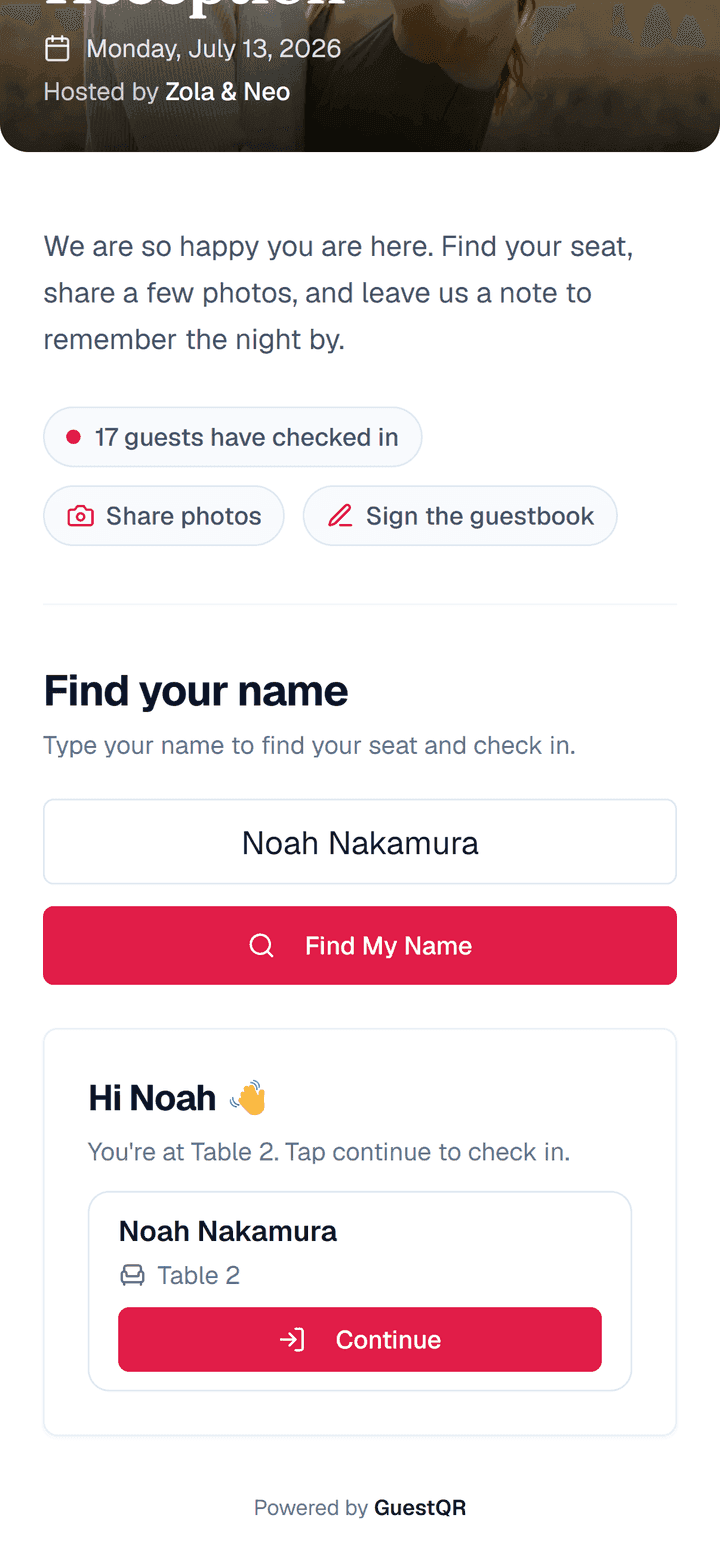
GuestQR collapses the day-of experience into a single QR code. A guest scans it once and lands on a welcome screen built for your event — your names, your colors, and only the things you've turned on.
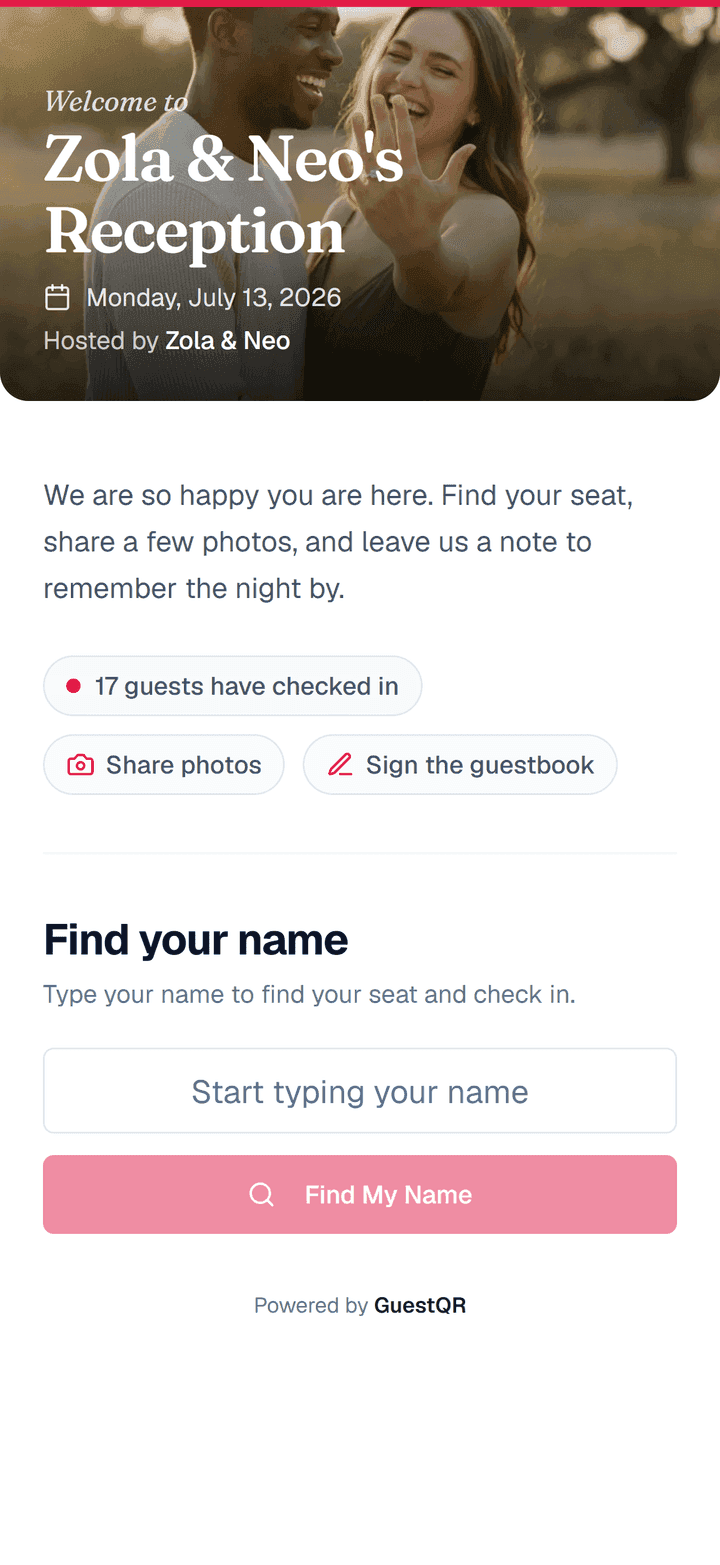
From there, finding a seat is as simple as typing a name.
The Honest Recommendation
You don't have to choose. The cleanest setup for most weddings is:
- Keep your wedding website (The Knot, Zola, or Joy) for RSVPs, registry, and travel info.
- Add GuestQR for the day — check-in, table lookup, photos, guestbook, and the live wall, all behind one QR code.
Your website gets guests to the wedding. GuestQR runs the wedding once they arrive.
Cover the part your wedding website can't
Check-in, table lookup, photo sharing, and a digital guestbook — all from one QR code. Start free with unlimited guests.
Frequently Asked Questions
Does GuestQR replace my wedding website?
No — and it's not trying to. Use your website for RSVPs and registry. GuestQR handles the in-person experience on the day: check-in, table lookup, photos, and the guestbook.
Do my guests need to download anything?
No. GuestQR runs entirely in the phone's browser. Guests scan the QR code and everything works — no app store, no sign-up.
Can I match GuestQR to my wedding website's look?
You can set your event's accent color and welcome message, so the screen guests land on after the scan feels like part of the same world as your website and stationery.