Technology That Stays in the Background
A memorial is not the place for anything flashy. The role technology can play is quiet and genuinely helpful: making it easy for everyone who loved someone to share a memory, a photo, or a few words the family can keep. GuestQR can do that with a single, unobtrusive QR code — no apps, no accounts, nothing for grieving guests to figure out.
This guide keeps it simple and respectful.
A Calm, Restrained Welcome
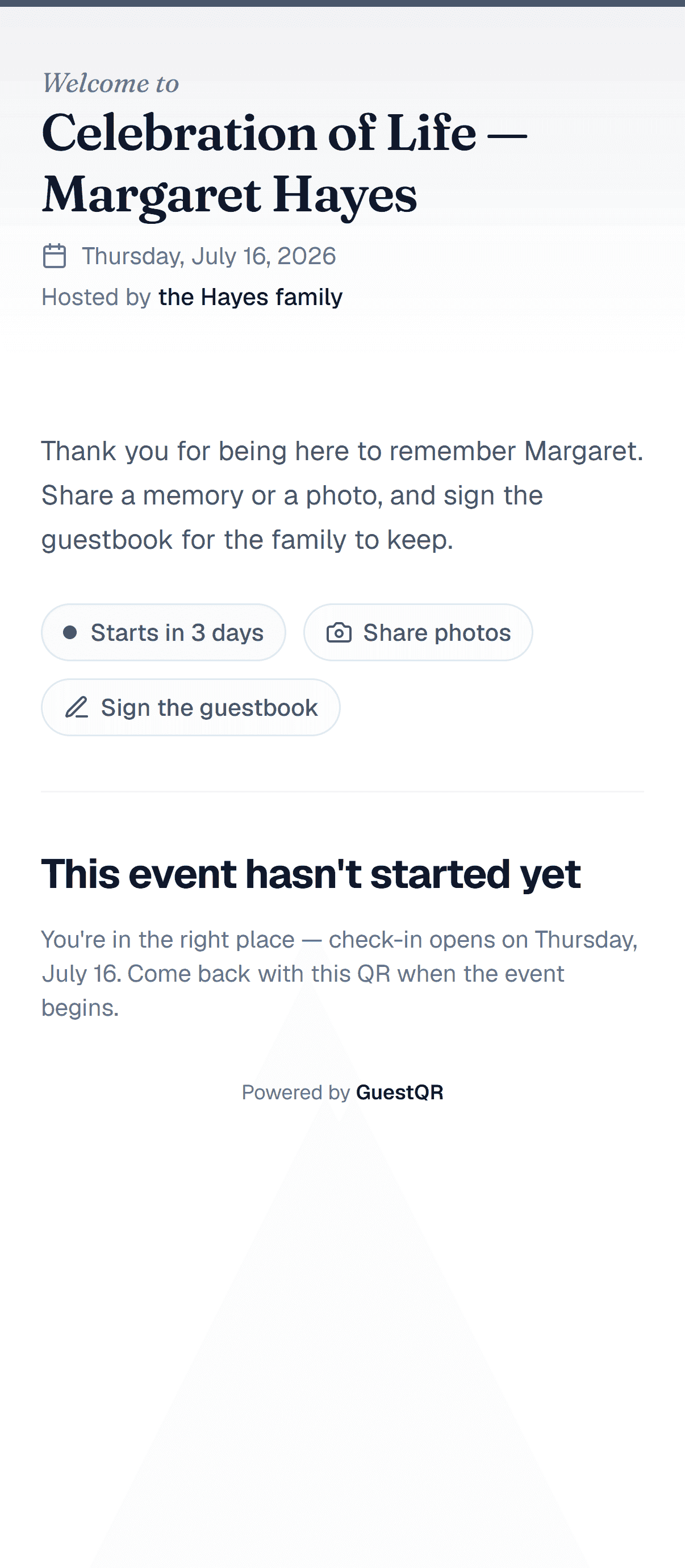
Set the event's door to Register at the door — there are no tickets and no assigned seats, so guests simply add their name to let the family know they came. (If you'd rather not ask for names at all, choose Just share and guests go straight to the photos and guestbook.) Choose a restrained accent (a soft slate works well), and write a gentle welcome message in the family's voice.
Gather a Shared Pool of Photos
No one person has all the pictures. Turning on photo sharing lets everyone contribute the images they've been holding onto — old snapshots, recent moments, photos from the service itself — into one collection the family can download and keep.
A gentle prompt helps: "Share a favorite photo or memory of Margaret." Guests upload straight from their phones, kept sharp, with nothing to install.
A Guestbook of Memories — Public or Private
This is often the most meaningful part. The guestbook becomes a place for condolences and memories. You have two ways to run it:
- Open — guests can read each other's messages, which can be comforting and communal.
- Private — only the family can read the messages. For a memorial, many families prefer this: guests still write freely, but the words are gathered privately for the family to read together, in their own time.
Either way, every message is saved and can be kept long after the day.
Restrained, Dignified Printed Pieces
If you'd like printed materials — an order of service card, a photo display sign, a small card with the QR code inviting people to share memories — keep them restrained so everything feels appropriate to the occasion. Download the event's QR code, set it small on ivory card stock with a quiet serif line such as "Share a memory of Margaret," and it stays dignified rather than technical.
Why One QR Code Helps on a Hard Day
The kindest thing about this setup is how little it asks. Guests who are sad, older, or simply not technical don't need to download anything or make an account. They point a phone at one small code and they're able to leave a photo or a few words. The family doesn't manage anything during the service — the memories simply gather on their own.
After the Service
In the days that follow, the family can:
- Download every shared photo into one place.
- Keep the full guestbook of memories and condolences, private if they chose.
- Revisit it in their own time — there's no rush: media is kept for 30 days on Free, 90 on Plus, and a full year on Premium, and everything can be downloaded before then.
It becomes a small, lasting archive of how widely someone was loved.
A gentle way to gather memories
Shared photos and a private guestbook of memories for the family — collected from one quiet QR code, with no app for guests. Free to start with unlimited guests.
Frequently Asked Questions
Can the messages be kept private for the family?
Yes. Switch the guestbook to private and only the family can read the messages. Guests still write freely; the words are gathered for the family alone.
Is this appropriate for older or less technical guests?
That's the point of one QR code with no app and no account. A guest only needs to scan and, if they wish, type a few words. Nothing else is required.
Can we keep the photos and messages long term?
Yes. The family can download all photos at once and keep the full guestbook. Free events keep media for 30 days after the service, Plus for 90 days, and Premium for a full year — and everything can be saved before then.